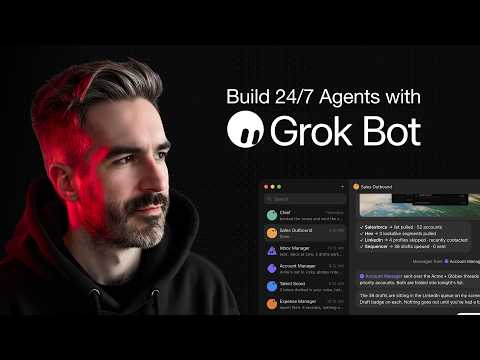
Copy library / What got built / Grok Bot
24/7 support agent in 19 minutes
Title and summary are in the original language, not translated.
# 24/7 support agent in 19 minutes

Source: https://www.youtube.com/watch?v=bUALqTpUze0

Customer-support Bot built on a routine, not a helpdesk rewrite.
- What it does
- Customer-support Bot built on a routine, not a helpdesk rewrite.
- Scenarios
- Uncategorized
- What the source covers
- Author & original linkYes
- What it doesYes
- Verbatim source excerptYes
- Screenshots / mediaYes
- Steps / chaptersYes
- Verbatim prompt / configNot in source
- Results / numbersNot in source
- Risk notesYes
- Related entriesYes
— means the source doesn't say; we don't fill it in.
- Verbatim source excerpt
Get my free AI playbooks → https://skool.com/claudebuilders/about Get my full system to build AI products people pay for → https://skool.com/aiapps/about Work with me 1-1 → https://www.buildgreatproducts.com/product-studio 👉 Watch my 6-hour full course on how to build, launch + get customers with Claude code: https://youtu.be/_0E-dzhjCoY?si=P8wW_byqWR1ykTP- Grok Bot just launched and it's good. Like, super simple, easy to understand, and you can get set up in minutes good. This might be the best tool for newcomers to AI agents and for small businesses just getting started with AI agents. Even better than Hermes and Openclaw (which can be super technical to set up). …
RongleCat/awesome-grok-bot (GitHub) · Open original ↗ From the video description, verbatim and untranslated.
- Video chapters
- 00:00 Introduction to Grok Bot
- 01:38 Use Case: Building a support agent
- 03:48 Creating a new custom support bot in Grok Bot
- 05:01 Instructing the agent to connect to a specific support email
- 06:41 Connecting and authorizing the Gmail connector
- 07:26 Reviewing the automated 'Support Inbox Watch' routine
- 09:48 Using Claude Code to generate a knowledge base for the agent
- 12:56 Uploading the knowledge base file to the Grok Bot agent
- 14:16 Testing the agent with a live email and reviewing the drafted reply
- 15:49 Approving the draft and sending the automated reply
- 16:36 Final thoughts on Grok Bot's simplicity and effectiveness
- 18:08 Promoting the AI apps community and conclusion
Verbatim from the source, untranslated.
- Prompt
The source does not include a prompt you can copy verbatim.
- How to copy
- Read the source: youtube.com ↗
- Turn the steps/prompts from the source into one message for your Bot
- Run it manually once, then decide the frequency
- Risks and limits
- Involves payments, orders or bookings: let the bot draft first and act only after you confirm
- Scheduled runs keep consuming usage: start at a low frequency and raise it once it is stable
- The author's result may not reproduce for you; the original post is the reference
- Usage estimate
- Estimate with the metal calculator