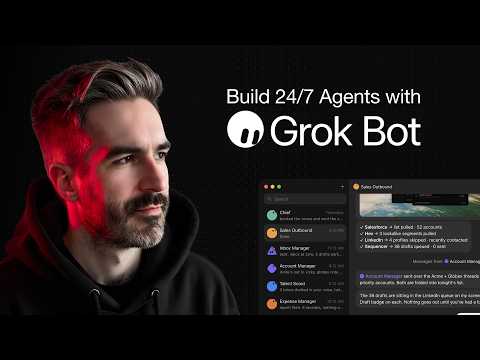
抄作业 / 做成了什么 / Grok Bot
24/7 support agent in 19 minutes
标题与摘要为原文,未翻译。
- 做了什么
- Customer-support Bot built on a routine, not a helpdesk rewrite.
- 场景
- 未归类
- 资料完整度
- 作者与原链接有
- 做了什么有
- 来源原文摘录有
- 截图 / 媒体有
- 步骤 / 章节有
- 提示词 / 配置原文来源未提供
- 结果 / 数字来源未提供
- 风险提示有
- 相关条目有
— 表示来源没有给出,本站不补写。
- 来源原文摘录
Get my free AI playbooks → https://skool.com/claudebuilders/about Get my full system to build AI products people pay for → https://skool.com/aiapps/about Work with me 1-1 → https://www.buildgreatproducts.com/product-studio 👉 Watch my 6-hour full course on how to build, launch + get customers with Claude code: https://youtu.be/_0E-dzhjCoY?si=P8wW_byqWR1ykTP- Grok Bot just launched and it's good. Like, super simple, easy to understand, and you can get set up in minutes good. This might be the best tool for newcomers to AI agents and for small businesses just getting started with AI agents. Even better than Hermes and Openclaw (which can be super technical to set up). …
RongleCat/awesome-grok-bot (GitHub) · 打开原文 ↗ 摘自视频简介,照录原文,未翻译。
- 视频章节
- 00:00 Introduction to Grok Bot
- 01:38 Use Case: Building a support agent
- 03:48 Creating a new custom support bot in Grok Bot
- 05:01 Instructing the agent to connect to a specific support email
- 06:41 Connecting and authorizing the Gmail connector
- 07:26 Reviewing the automated 'Support Inbox Watch' routine
- 09:48 Using Claude Code to generate a knowledge base for the agent
- 12:56 Uploading the knowledge base file to the Grok Bot agent
- 14:16 Testing the agent with a live email and reviewing the drafted reply
- 15:49 Approving the draft and sending the automated reply
- 16:36 Final thoughts on Grok Bot's simplicity and effectiveness
- 18:08 Promoting the AI apps community and conclusion
照录来源原文,未翻译。
- 提示词
来源没有给出可直接复制的提示词原文。
- 怎么复制
- 读原文:youtube.com ↗
- 把原文里的步骤/提示词整理成一条消息交给 Bot
- 先手动跑一次,再决定频率
- 风险与限制
- 涉及付款、下单或预订:先让 Bot 只起草,确认后再执行
- 定时运行会持续消耗额度:频率从低开始,跑稳再加
- 作者的结果不保证能复现,以原帖为准
- 用量预估
- 用金属计算器估一下