Copy library / What got built / Multiple
Talk to your Codex, Claude Code and ChatGPT Dot sessions inside Minecraft
# 在 Minecraft 里和你的 Codex、Claude Code、ChatGPT Dot 对话

Source: https://github.com/SoumilRathi/minecraft-companions

Author: SoumilRathi

开源项目:把你已有的 Codex、Claude Code 和 ChatGPT Dot 对话接进 Minecraft,在游戏里直接和它们交谈。
- What it does
- An open-source project that brings your existing Codex, Claude Code and ChatGPT Dot conversations into Minecraft so you can talk to them in-game.
- Scenarios
- Code & ship
- What the source covers
- Author & original linkYes
- What it doesYes
- Verbatim source excerptYes
- Screenshots / mediaYes
- Steps / chaptersYes
- Verbatim prompt / configNot in source
- Results / numbersNot in source
- Risk notesYes
- Related entriesYes
— means the source doesn't say; we don't fill it in.
- Verbatim source excerpt
SoumilRathi/minecraft-companions
Talk to your existing Codex, Claude Code, and ChatGPT Dot conversations in Minecraft.SoumilRathi · · Open original ↗ From the project README, verbatim and untranslated.
- Screenshots
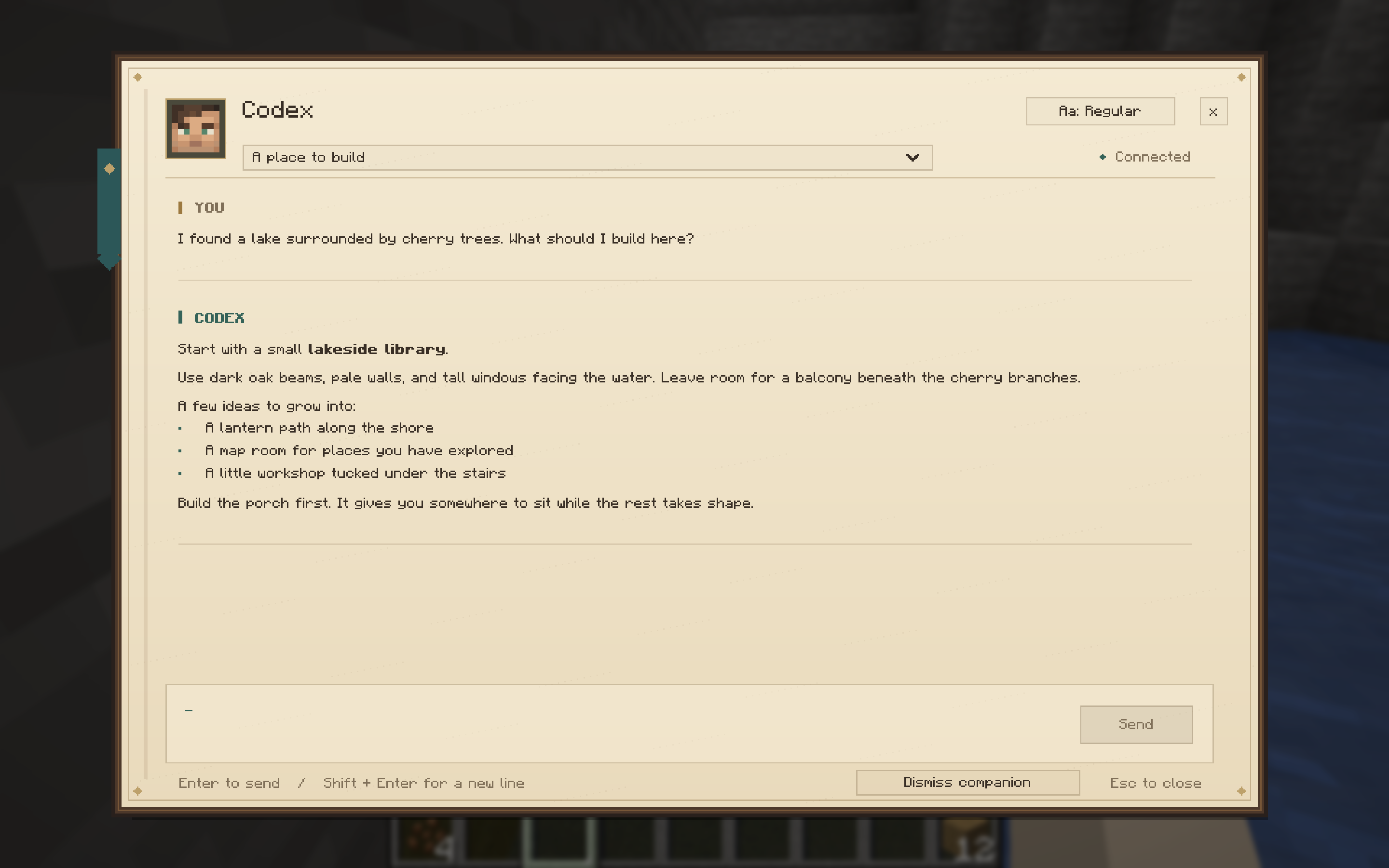
Image from the project README - Steps / points from the source
- Minecraft Java 26.3, Fabric Loader 0.19.5 or newer, and Fabric API.
- Node.js 24 or newer.
- An account with access to each companion you enable.
- Start Minecraft with Fabric once, then quit it.
- Download minecraft-companions-0.10.0-macos-arm64.zip from Releases and unzip it.
- Open Terminal in the extracted folder and run:
- Enter your Minecraft game folder, the folder containing mods and options.txt. Choose the companions you want.
- Complete the setup instructions for Claude or Dot below, then start Minecraft.
Verbatim from the source, untranslated.
- Prompt
The source does not include a prompt you can copy verbatim.
- How to copy
- Open the repo: github.com/SoumilRathi/minecraft-companions ↗
- Read the README, send the repo link to your Bot and have it reproduce it
- Get it working small first, then add a routine
- Risks and limits
- The author's result may not reproduce for you; the original post is the reference
- Usage estimate
- Estimate with the metal calculator