抄作业 / 做成了什么 / Grok Bot
grokbot-mocap — live face mocap SVG avatar
标题与摘要为原文,未翻译。
- 做了什么
- Live face motion-capture projected onto an animated SVG avatar, built by NODE Sudbury for a Grok community event.
- 场景
- 未归类
- 资料完整度
- 作者与原链接有
- 做了什么有
- 来源原文摘录有
- 截图 / 媒体有
- 步骤 / 章节有
- 提示词 / 配置原文来源未提供
- 结果 / 数字来源未提供
- 风险提示有
- 相关条目有
— 表示来源没有给出,本站不补写。
- 来源原文摘录
Live face motion capture projected onto an animated SVG avatar. Point a camera at a person and the bot mirrors their head, eyes, blinks and mood in real time. Put a crowd in front of it and every face gets its own bot on a dark stage.
RongleCat/awesome-grok-bot (GitHub) · 打开原文 ↗ 摘自项目 README,照录原文,未翻译。
- 效果截图
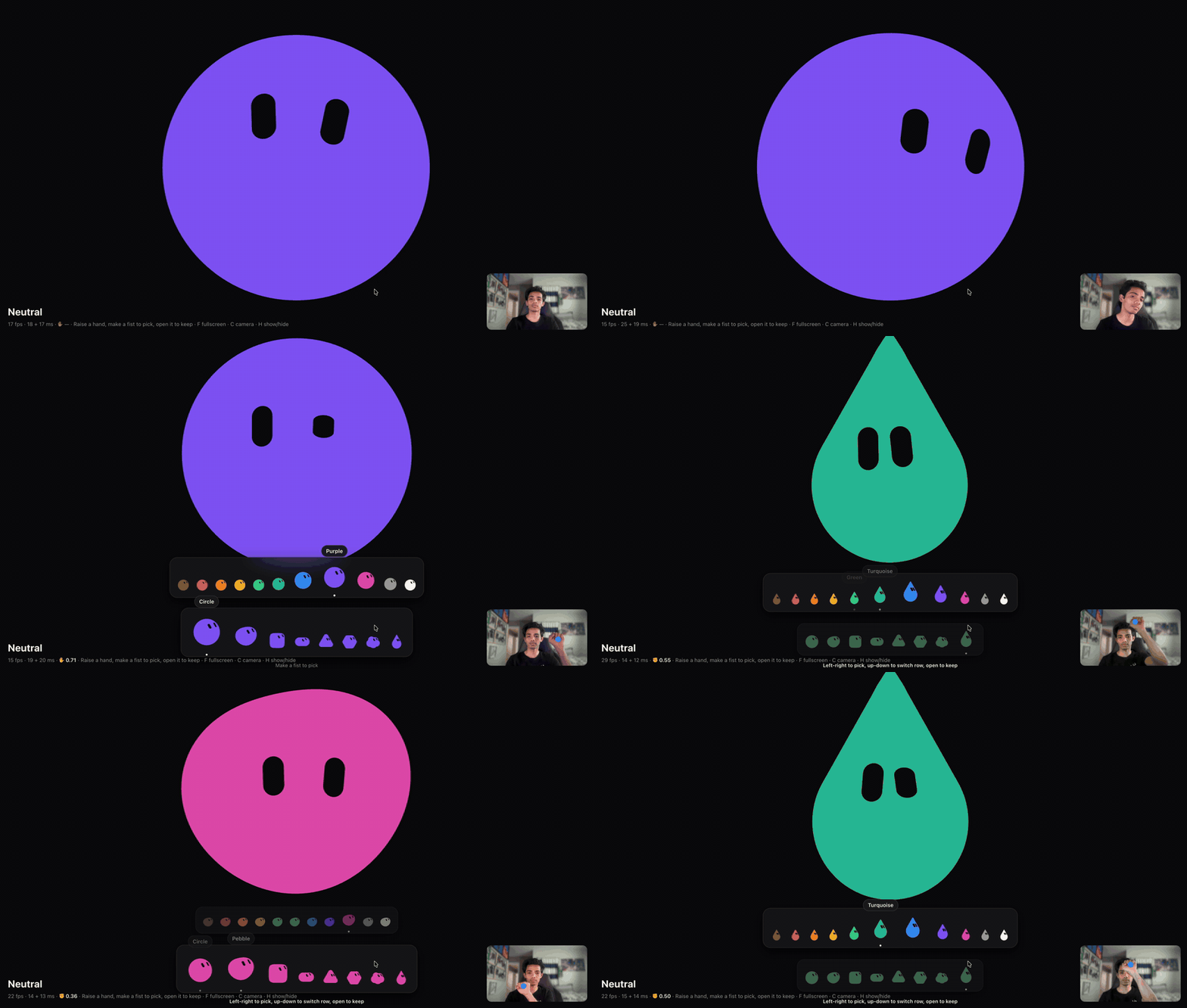
图片来自项目 README - 来源里的步骤 / 要点
- http://localhost:5190/live.html — the mirror. Click Start, then F fullscreen,
- http://localhost:5190/ — the customiser: shape, colour and rest expression, plus an
- src/bot/ is the avatar engine: a pure, clock-free engine.sample(t) that renders one
- src/ui/detection.worker.ts runs MediaPipe's face and hand landmarkers in a Web
- src/ui/mirror.ts turns blendshapes and the head matrix into the engine's levers;
- src/components/LiveView.vue is the mirror page; Dock.vue and Foule.vue the dock
照录来源原文,未翻译。
- 提示词
来源没有给出可直接复制的提示词原文。
- 怎么复制
- 打开仓库:github.com/NODE-Sudbury/grokbot-mocap ↗
- 读 README,把仓库链接发给你的 Bot,让它按 README 复现
- 先在小范围跑通,再加 routine
- 风险与限制
- 作者的结果不保证能复现,以原帖为准
- 用量预估
- 用金属计算器估一下