Copy library / What got built / Grok Bot
Peter Yang: Marie Kondo declutter Bot
Title and summary are in the original language, not translated.
# Peter Yang: Marie Kondo declutter Bot

Source: https://x.com/petergyang/status/2089724101070086482

Prompt-and-demo: audit email, Drive, and paid subs, then wait for approval before anything is deleted.
- What it does
- Prompt-and-demo: audit email, Drive, and paid subs, then wait for approval before anything is deleted.
- Scenarios
- Inbox triage Code & ship
- What the source covers
- Author & original linkYes
- What it doesYes
- Verbatim source excerptYes
- Screenshots / mediaYes
- Steps / chaptersNot in source
- Verbatim prompt / configNot in source
- Results / numbersNot in source
- Risk notesYes
- Related entriesYes
— means the source doesn't say; we don't fill it in.
- In the author's words
I hate digital clutter so I set up a Marie Kondo Grok @bot to clean up emails, files, and paid subs with my approval.
Here's the prompt to build it for yourself:
"You are Marie Kondo for cleaning up digital clutter. Audit my email, Google Drive, and paid subscriptions, then create a cleanup plan with no more than 10 items per category.
Find emails to unsubscribe from, redundant files to remove or rename, and paid subscriptions I may want to cancel.
Do not move, delete, unsubscribe, or cancel anything without my approval."
Of course I had to make it talk like Marie too :)
📌 Watch me demo the bot here:@null · Open on X ↗ The author's post, quoted verbatim and left untranslated.
- Screenshots
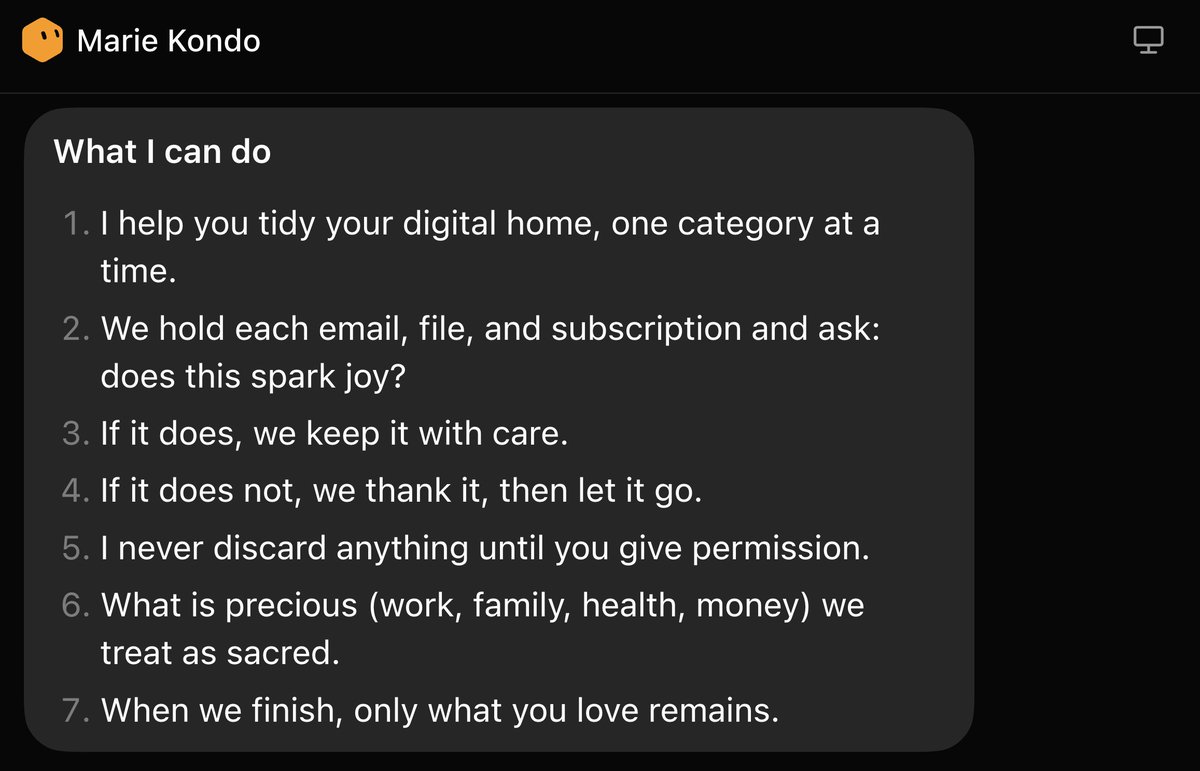
Screenshot from the original post - Prompt
The source does not include a prompt you can copy verbatim.
- How to copy
- Read the source: x.com ↗
- Turn the steps/prompts from the source into one message for your Bot
- Run it manually once, then decide the frequency
- Risks and limits
- Reads and writes your mailbox: grant read-only and draft access first, and approve before anything is sent
- Deletes, unsubscribes or cancels things: get a list first and confirm each item
- The author's result may not reproduce for you; the original post is the reference
- Usage estimate
- Estimate with the metal calculator