抄作业 / 做成了什么 / Grok Bot
photo-trace — phone photo of an error to root cause (Dublin Builder Day)
标题与摘要为原文,未翻译。
- 做了什么
- Built with Grok Bot and Bronto at Grok Bot Dublin Builder Day on 4 Oct 2026: snap an error on your phone and the laptop shows the matching Bronto log search, one root cause and one fix command that only runs after a human approves.
- 场景
- 写代码上线
- 资料完整度
- 作者与原链接有
- 做了什么有
- 来源原文摘录有
- 截图 / 媒体有
- 步骤 / 章节有
- 提示词 / 配置原文来源未提供
- 结果 / 数字来源未提供
- 风险提示有
- 相关条目有
— 表示来源没有给出,本站不补写。
- 来源原文摘录
Snap a photo of an error on your phone. photo-trace reads it, searches the logs in Bronto, and puts the root cause and one fix command on the big screen.
RongleCat/awesome-grok-bot (GitHub) · 打开原文 ↗ 摘自项目 README,照录原文,未翻译。
- 效果截图
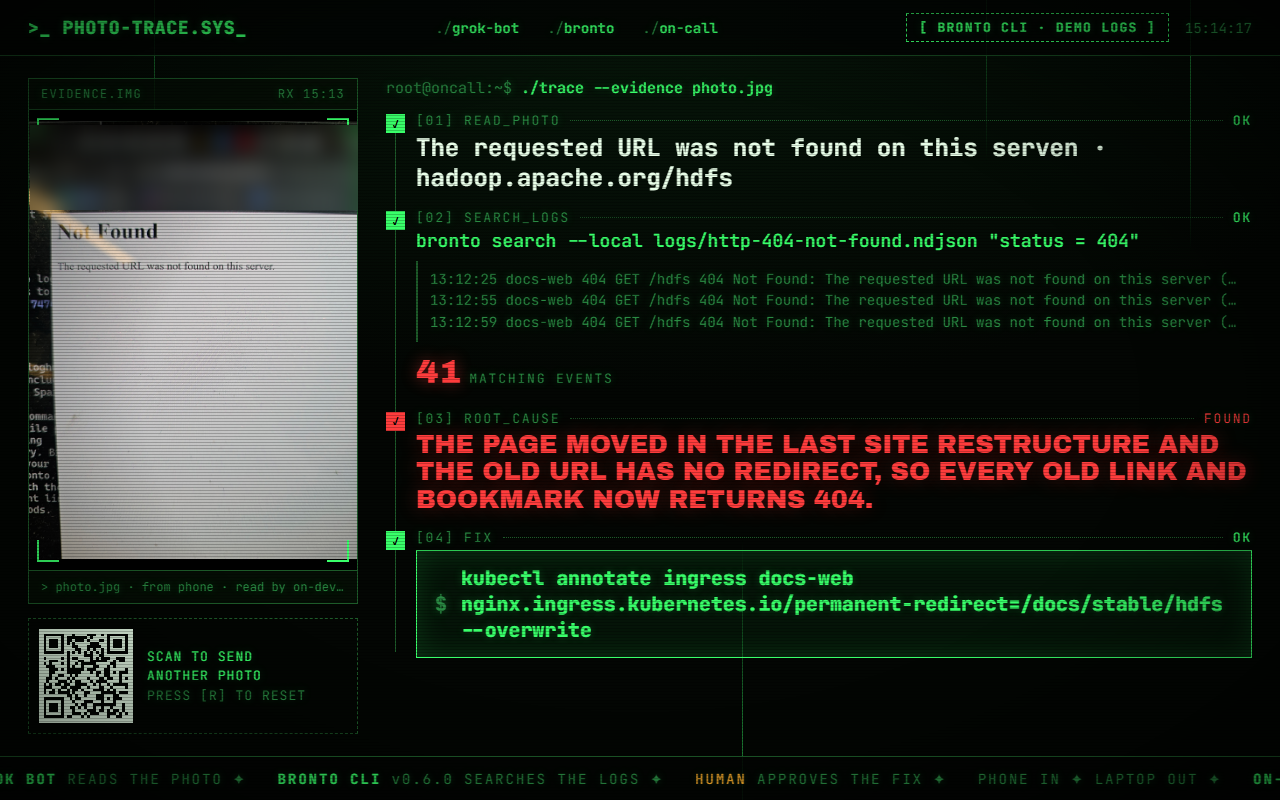
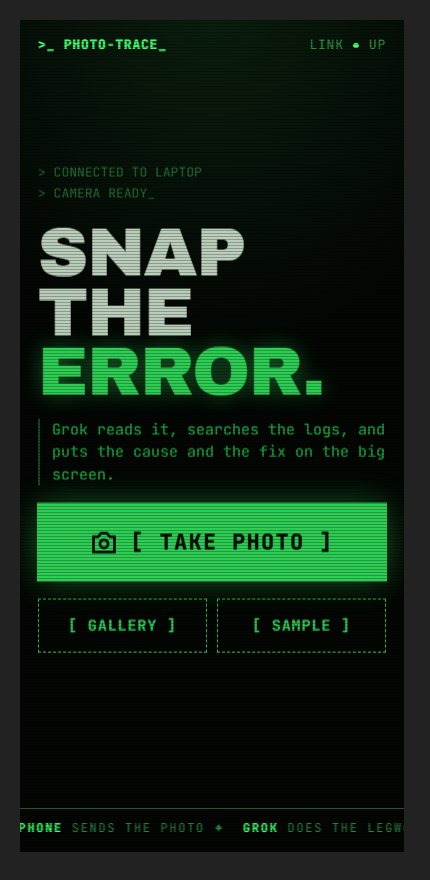
图片来自项目 README - 来源里的步骤 / 要点
- reading the error and working out which service it came from,
- opening the log tool and writing the right query,
- scrolling through the matches to spot the pattern,
- remembering (or looking up) the command that fixes it.
- Join. Scan the QR code on the laptop with your phone. Both devices need to be on the same Wi-Fi.
- Snap. Take a photo of the error on any screen.
- Read. analyse.py reads the text in the photo. It corrects the phone's rotation and retries at 90° and 270°.
- Match. The text is matched against errors/catalog.json, a catalogue of 13 common production failures. Each entry has signatures, a Bronto query, a cause, a
照录来源原文,未翻译。
- 提示词
来源没有给出可直接复制的提示词原文。
- 怎么复制
- 打开仓库:github.com/henry-da-lab/photo-trace ↗
- 读 README,把仓库链接发给你的 Bot,让它按 README 复现
- 先在小范围跑通,再加 routine
- 风险与限制
- 作者的结果不保证能复现,以原帖为准
- 用量预估
- 用金属计算器估一下