Copy library / What got built / Grok Bot
Grok Bot as the content editor for three accounts
# 用 Grok Bot 当三个账号的内容编辑

Source: https://x.com/Claysinjr/status/2114696986146537944

Author: Claysinjr

作者把 Grok Bot 设成三个品牌的内容负责人:一个 AI 新闻页、一个本县本地新闻页和自己的账号。它找选题、核对来源、做轮播图并写配文,作者只负责审批。前一晚它为接下来几天做好了 9 条帖子。
- What it does
- The author set up Grok Bot as the content lead for three brands: an AI news page, a local news page for their county and their own posts. It finds the story, checks the sources, builds the slides and writes the captions; the author only approves. Last night it built 9 posts for the next couple of days.
- What the source covers
- Author & original linkYes
- What it doesYes
- Verbatim source excerptYes
- Screenshots / mediaYes
- Steps / chaptersNot in source
- Verbatim prompt / configNot in source
- Results / numbersYes
- Risk notesYes
- Related entriesYes
— means the source doesn't say; we don't fill it in.
- In the author's words
set up grok bot as the content guy for 3 brands.. an AI news page, a local news page for my county + my own posts
it finds the story, checks the sources, builds the slides + writes the captions. I just approve
last night it built 9 posts for the next couple days 👇 https://t.co/dxEtuNEpJp@Claysinjr · · Open on X ↗ The author's post, quoted verbatim and left untranslated.
- Screenshots
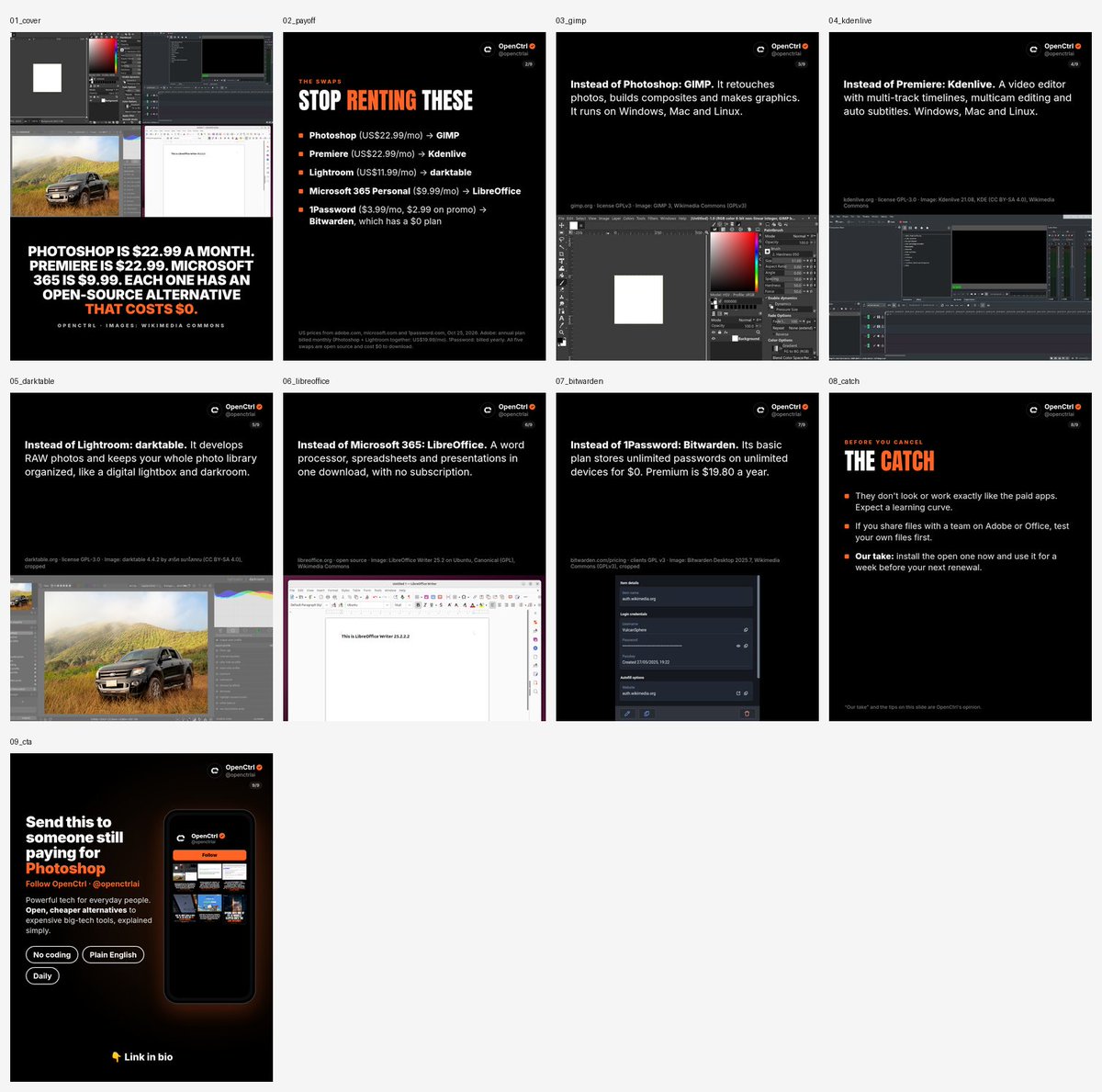

Screenshot from the original post - Prompt
The source does not include a prompt you can copy verbatim.
- How to copy
- Read the source: x.com ↗
- Turn the steps/prompts from the source into one message for your Bot
- Run it manually once, then decide the frequency
- Risks and limits
- The author's result may not reproduce for you; the original post is the reference
- Usage estimate
- Estimate with the metal calculator