Copy library / What got built / OpenAI Dots
Using a Dot to move a whole AI coding setup to Windows
# 用 Dot 打包搬运整套 AI 编程环境到 Windows

Source: https://x.com/nnennahacks/status/2116643348245344330

Author: nnennahacks

作者在做一个小项目:把 Mac 上 Codex 的整套环境迁移到 Windows Surface 上的 Copilot 应用和 CLI,包括 75 个以上的 skills、规则 md 文件、脚本,以及 Python、Rust、Go、Node/JS 的工具链。负责搬运的是作者的 Dot,用的方式是一个 zip 文件夹。
- What it does
- The author's quick project: migrating their Codex setup on a Mac to the Copilot app and CLI on a Windows Surface, including 75+ skills, rule md files, scripts and tooling for Python, Rust, Go and Node/JS. The transport system is their Dot, carrying it over as a zip folder.
- Scenarios
- Code & ship
- What the source covers
- Author & original linkYes
- What it doesYes
- Verbatim source excerptYes
- Screenshots / mediaYes
- Steps / chaptersNot in source
- Verbatim prompt / configNot in source
- Results / numbersYes
- Risk notesYes
- Related entriesYes
— means the source doesn't say; we don't fill it in.
- In the author's words
quick project: codex -> copilot app + cli in windows harness migration.
all 75+ skills, rule md files, scripts, & programming languages tooling for python, rust, go, node/js i have from my mac machine porting over to my surface ultra.
transport system: my dot via zip folder😂 https://t.co/ytd5ZinSB0@nnennahacks · · Open on X ↗ The author's post, quoted verbatim and left untranslated.
- Screenshots

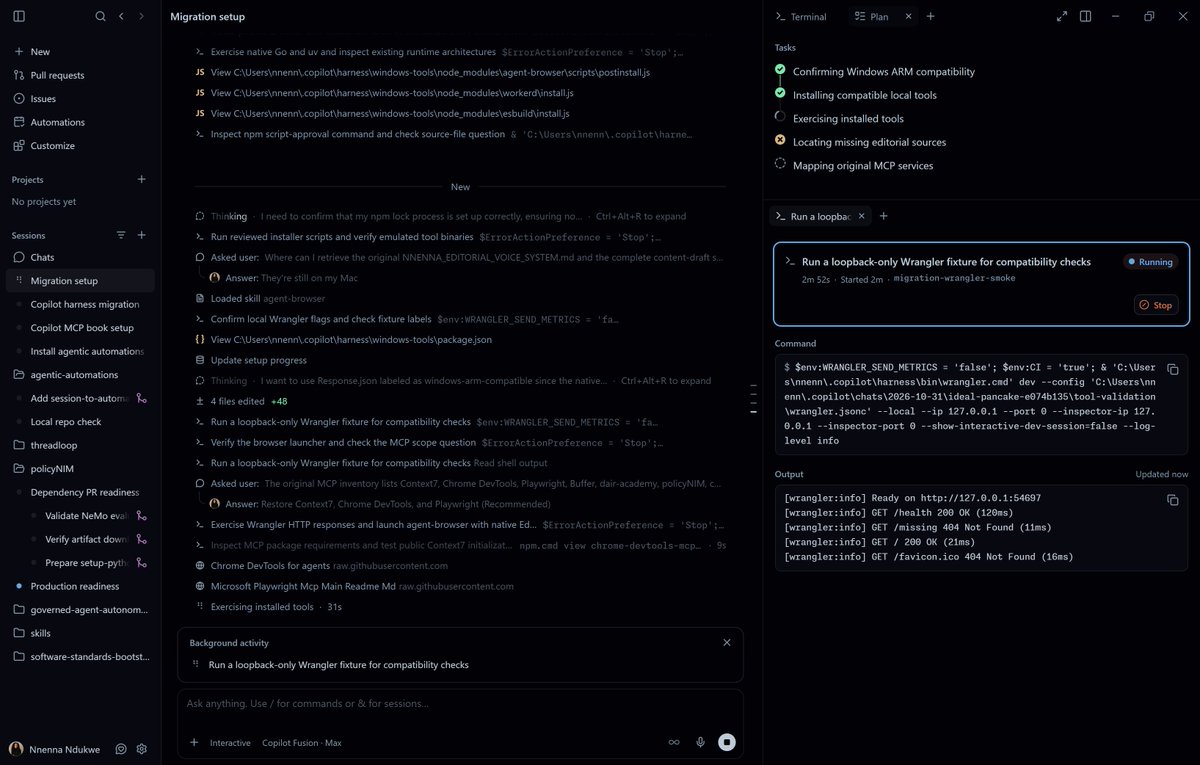
Screenshot from the original post - Prompt
The source does not include a prompt you can copy verbatim.
- How to copy
- Read the source: x.com ↗
- Turn the steps/prompts from the source into one message for your Bot
- Run it manually once, then decide the frequency
- Risks and limits
- The author's result may not reproduce for you; the original post is the reference
- Usage estimate
- Estimate with the metal calculator